Open source · MIT · Windows 10 & 11

Cut out any background in one click.

A tiny desktop app that erases the background from any photo and saves a clean transparent PNG. The AI runs on your own machine — nothing is uploaded, nothing is watermarked and there's no daily limit to hit.

No upload, ever No watermark 100% free · v1.1
100% offlineTransparent PNG AI powered (u2net)Batch processing No sign-up
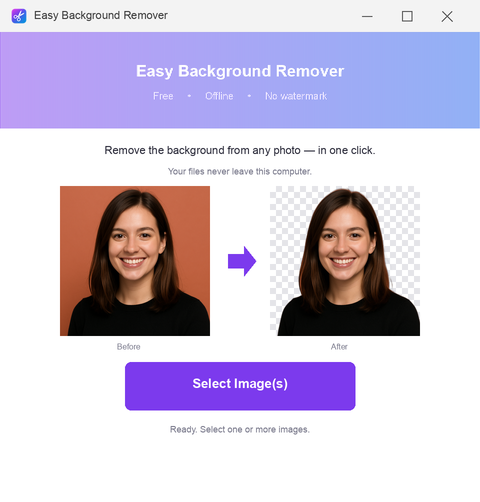
Easy Background Remover app window on Windows
Real results
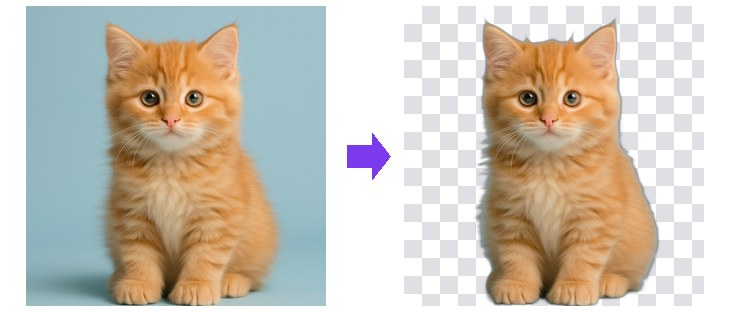
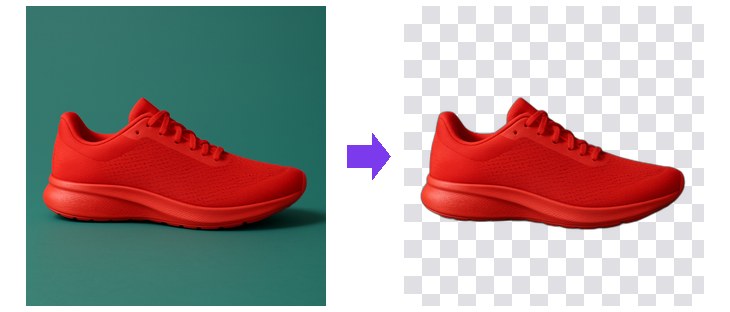
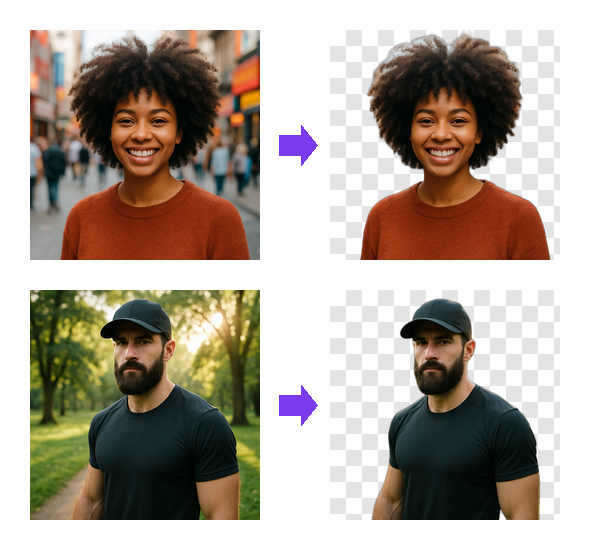
Before → after Photo before and after background removal, showing a transparent PNG result

Hair, fur and fine edges — kept intact.

The u2net model was trained for exactly this: separating a subject from a busy background without eating the outline. Curly hair, glasses, a cap brim — the parts cheap tools turn into mush stay where they should be.

True transparencyReal alpha channel, not a white rectangle pretending to be one.
Full resolutionThe output matches your original — nothing downscaled behind a paywall.
Seconds per photoRuns locally on your CPU, no queue and no upload waiting.
Why a desktop app

Everything an online remover asks you to give up.

Free web tools pay for themselves somehow — usually with your photos, your resolution or your patience.

Your photos never leave the PC

Family pictures, client work, product shots, documents — none of it is uploaded to a stranger's server, because the app never opens a connection at all.

No watermark, no paywall

The result comes out clean at full size. There's no "HD download" upsell and no logo stamped across the corner of your image.

Batch it, don't babysit it

Select a whole folder of photos and let it work through them. No daily quota, no credits, no watching a progress bar in a browser tab.

Works with no internet

On a plane, on hotel wifi, on a locked-down work laptop — the model is bundled in the download, so it behaves the same everywhere.

How it works

From photo to transparent PNG in four steps.

No installer wizard, no admin rights, no runtime to hunt down first.

  1. Download & unzipGrab the release from GitHub and extract it anywhere — a folder on your desktop is fine.
  2. Open your photosDrag them onto the window or use Select Images. JPG, PNG and WebP all work.
  3. Let the AI cut them outu2net finds the subject and erases what's behind it, usually in a couple of seconds per photo.
  4. Save the PNGDrop it straight into a design, a store listing, a deck or a thumbnail.
Honest comparison

Easy Background Remover vs. a typical online tool.

The trade-off is simple: a web tool needs nothing installed, this one needs nothing else.

 Easy Background RemoverTypical online remover
Photos uploaded to a serverNeverAlways
Watermark on the resultNoOften
Full resolution outputFreeUsually paid
Daily limitNone3–5 images
Batch processingIncludedPremium plan
Works offlineYesNo
PriceFree, MITSubscription
FAQ

Frequently asked questions

Is it really free?

Yes — it's open source under the MIT licence. No trial period, no locked features, no subscription and no upsell screen.

Does it work without an internet connection?

Completely. The AI model ships inside the download, so nothing is sent anywhere and nothing needs to be fetched while you work.

Will it put a watermark on my image?

No. You get the full-resolution transparent PNG with nothing stamped on it, every time.

Which image formats can I use?

JPG, PNG and WebP go in. The result is always saved as a PNG with a real alpha channel, so it drops cleanly onto any background.

Does it run on Windows 11?

Yes, it's tested on Windows 10 and Windows 11, 64-bit. There's nothing to install beyond unzipping it.

Do I need Python or .NET installed?

No. Everything is bundled — unzip and run. That's also why the download isn't tiny: the AI model is inside it.

Can I use the results commercially?

Yes. The photos you process stay yours and the app puts no restrictions or marks on the output.

Is it safe? Windows warned me about the file.

SmartScreen warns about any new app that hasn't accumulated download reputation yet. The full source is on GitHub if you'd rather read it or build it yourself.
Get the free background remover for Windows.

One download, no account, no upload. Works on Windows 10 and 11.

Download from GitHub
Latest release · always the newest version